

Profiles
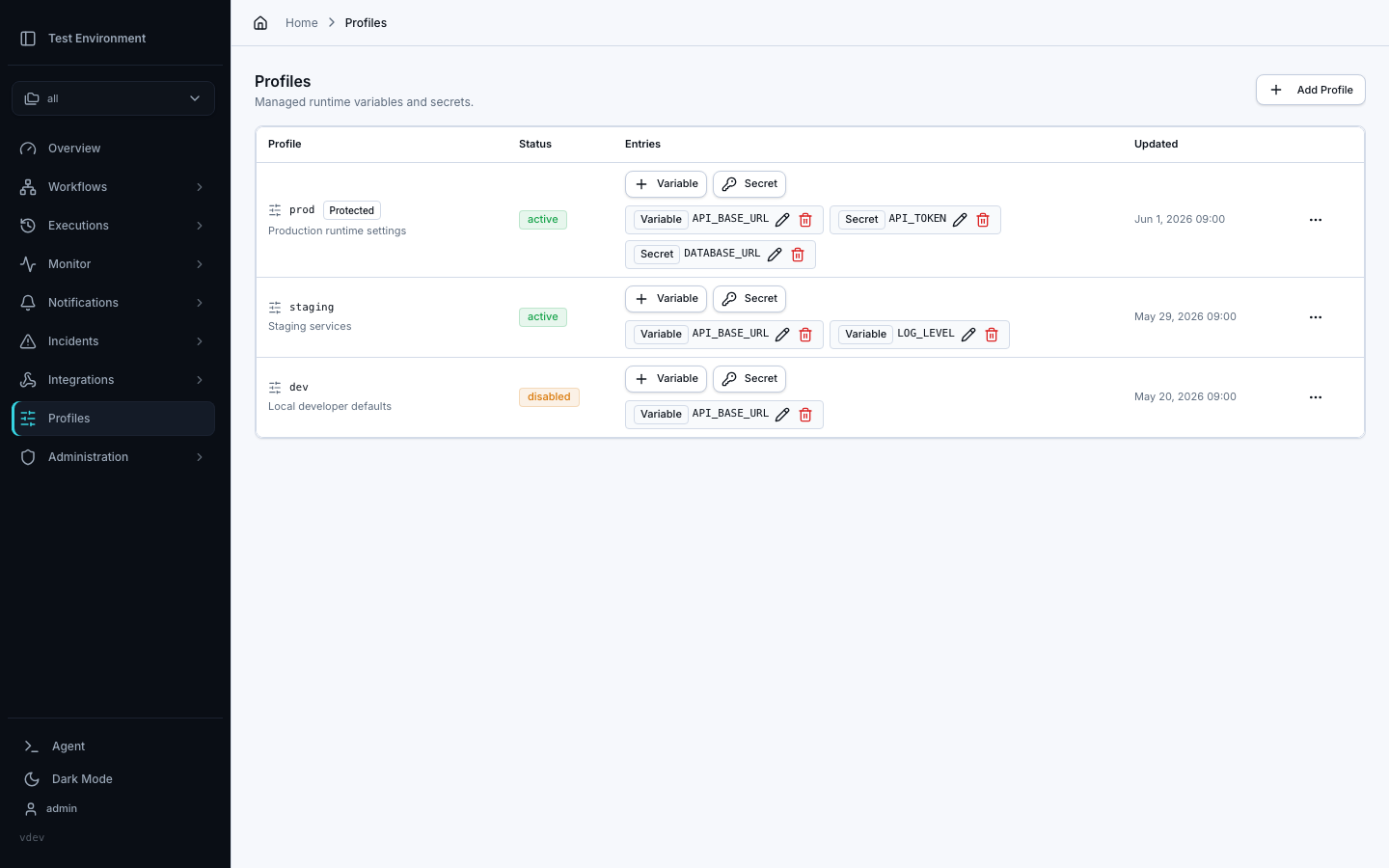
The Profiles tab on the Profiles & Secrets page manages runtime profiles: named sets of variables and secrets that can be selected when starting or enqueueing a DAG run.
Use profiles when the same DAG should run against different environments without changing the DAG YAML. For example, a single workflow can run with the dev, staging, or prod profile.
Profiles change the variables and secrets supplied to a run. They do not create separate schedulers, local execution environments, or worker pools. Use separate Dagu deployments when development, staging, and production require infrastructure or security isolation.
What A Profile Contains
Each profile has:
| Field | Meaning |
|---|---|
| Name | The runtime profile name selected at run start |
| Status | active profiles can be used; disabled profiles cannot start new runs |
| Protected | Admin-only profile for higher-risk credentials or production environments |
| Entries | Variables and secrets injected into runs that select the profile |
Variables store plain values. Secrets store write-only Dagu-managed secret values. Secret values are not shown again after saving.
Default Profile Layers
Profiles can also define default entries that apply before a run-specific profile is selected:
| Layer | Applies to | Managed from |
|---|---|---|
| Global defaults | Every DAG run | Profiles tab, Global defaults row |
| Workspace defaults | DAGs with labels: [workspace=<name>] | Profiles tab while that workspace is selected |
| Selected profile | Runs that choose a named profile | The named profile row |
Defaults are not selectable profiles. They are fallback entries that Dagu resolves automatically when a run starts. A DAG in workspace=ops receives Global defaults, then ops workspace defaults, then the selected profile if one was chosen. A DAG without a workspace label receives only Global defaults before the selected profile.
When multiple layers define the same key, the later layer wins:
Global defaults < Workspace defaults < Selected profileUse default layers for values that should be present across many runs without requiring operators to pick a profile every time. Use a selected profile when the operator should choose the runtime environment for a specific run.
Admins manage Global defaults. Workspace defaults require permission to write configuration for that workspace.
Create A Profile
- Open Profiles & Secrets and select the Profiles tab.
- Click Add Profile.
- Enter a lowercase profile name such as
prod. - Add an optional description.
- Enable Protected only when the profile should be admin-only.
- Save the profile.
Managers can manage non-protected profiles. Admins are required to create, view, update, delete, or use protected profiles.
Add Entries
Use the entries table on a profile row to add or update values:
- Choose Variable for non-sensitive values such as
LOG_LEVELorREGION. - Choose Secret for credentials such as
API_TOKEN,DATABASE_URL, or cloud keys.
Entry keys must be valid environment variable names and cannot start with DAGU_.
Rotating a secret entry writes a new secret value. New runs and new retry attempts use the latest value resolved at attempt start. Already-running steps keep the environment they received when they started.
Use A Profile
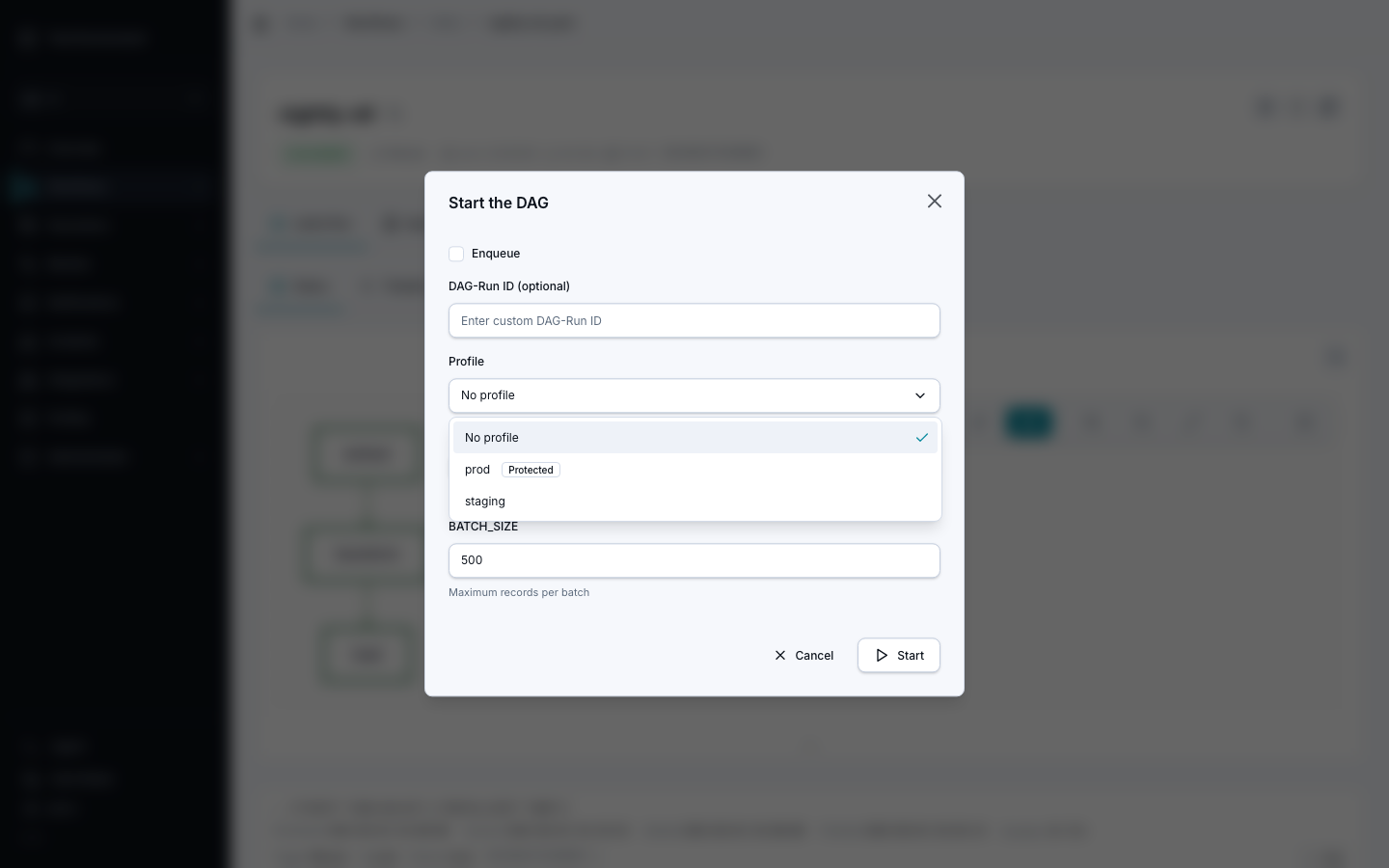
When starting or enqueueing a DAG from the Web UI, select a profile from the Profile field in the start dialog. If no profile is selected, the run still receives any matching Global or workspace default entries, plus the environment, parameters, and secrets defined by the DAG and server configuration.
The same selection applies to distributed runs. Profiles remain coordinator-managed and require no per-worker profile configuration or server data mount.
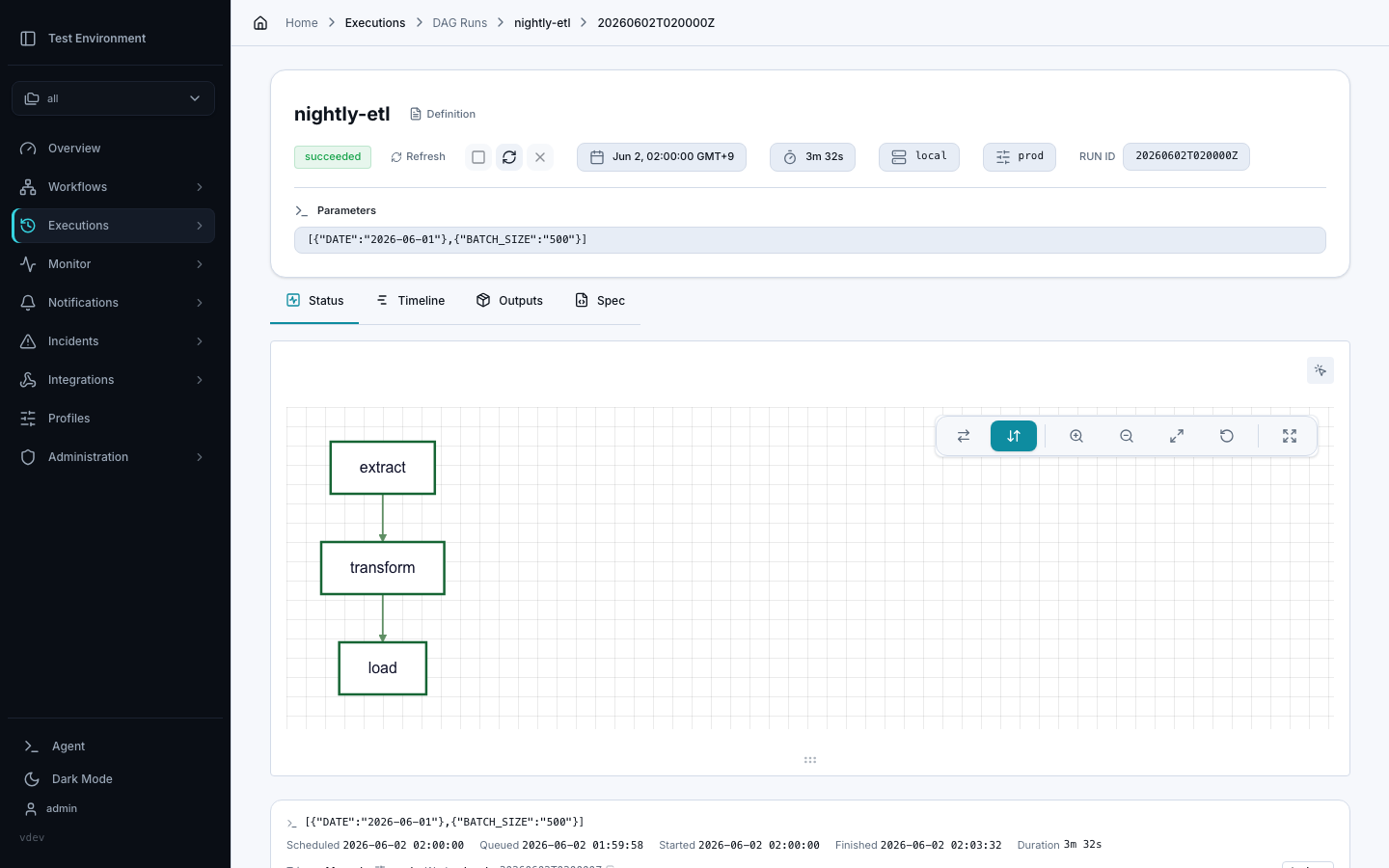
Run history and run details show the selected profile name when a profile was used.
Admins can also let a webhook integration select specific profiles. Open the DAG's Webhook tab, choose the active profiles under Runtime profile selection, and save the allowlist. A webhook caller can then select one of those profiles with X-Dagu-Profile; omitting the header keeps the DAG's default-profile behavior. See Webhook profile selection for request and HMAC-signing examples.
To give each caller its own profile instead, create a token for each caller under Profile tokens on the same tab. Requests with a profile token always run with that token's profile. See Profile tokens.
Retries
Retries always inherit the original run's profile. The retry dialog does not allow switching profiles. This keeps a failed run's retry tied to the same runtime environment identity while still resolving the latest profile values when the retry attempt starts.
Relationship To Secrets
The DAG Secret Refs tab manages registry secrets referenced directly from DAG YAML with secrets[].ref.
Runtime profile secrets are different: they belong to a runtime profile and should be created or rotated from the Profiles tab. Dagu stores their values in the managed secret store internally, but the profile remains the user-facing owner of those values.
This also applies to profile default layers. Default-layer secret entries should be created, rotated, and deleted from the Profiles tab, not from DAG Secret Refs.