

Documents
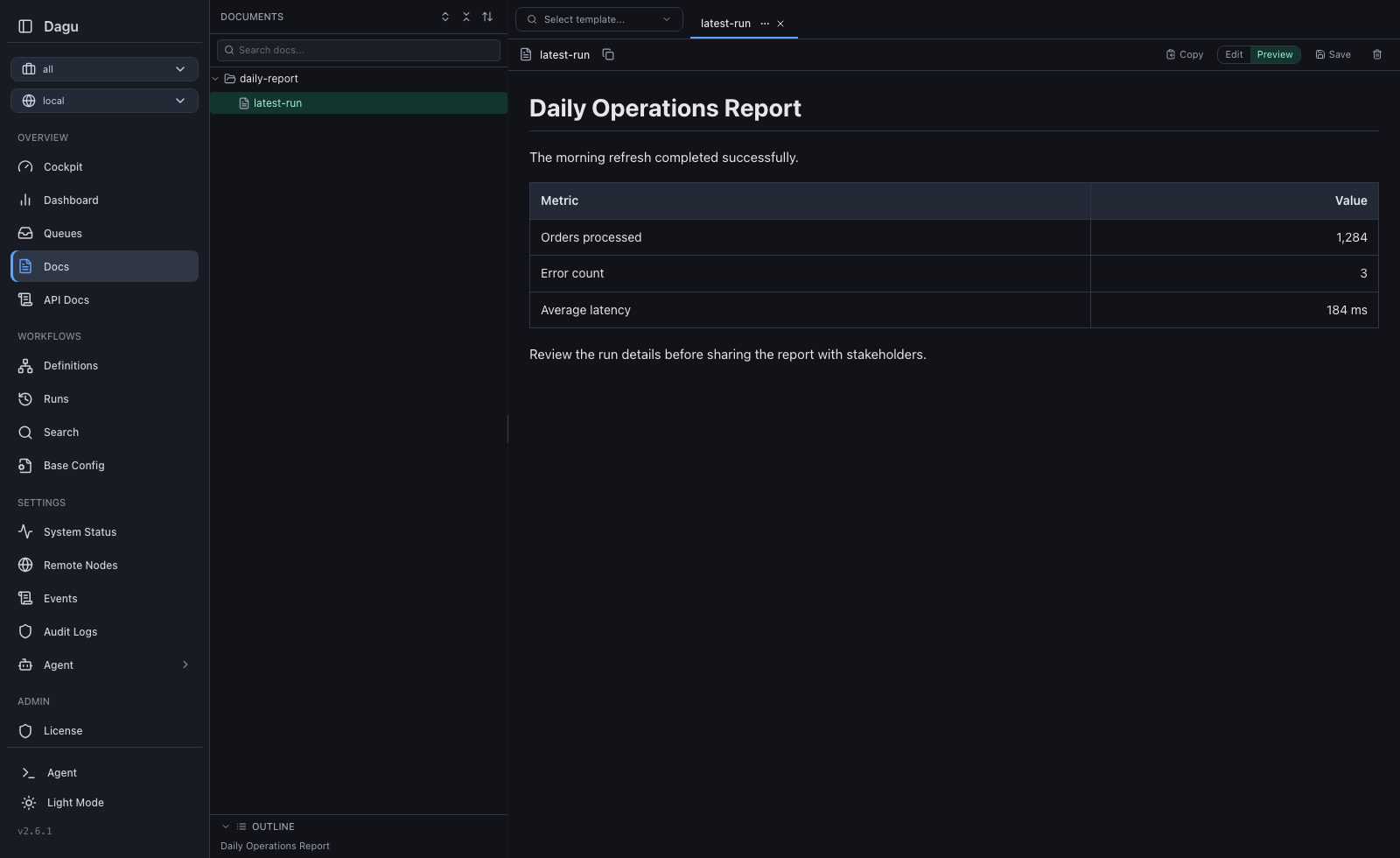
Documents keeps operational knowledge next to the workflows it explains. Use the Web UI to write Markdown runbooks, troubleshooting notes, handoff guides, and diagrams without leaving Dagu.
What You Can Do
- organize Markdown files in a nested file tree
- create, rename, move, and delete files and folders
- keep several documents open in tabs
- edit Markdown and preview the rendered result side by side
- render Mermaid diagrams in the preview
- jump through long documents from the generated outline
- search document names and contents
- scope documents to the default or a named workspace
- synchronize documents with a Git repository through Git Sync
Browse And Organize Documents
Open Documents from the navigation. The sidebar shows the document tree for the selected workspace.
Use the tree actions to:
- create a document or folder
- rename an item
- drag an item into another folder
- select several items for deletion
- expand or collapse nested folders
Document names use the .md extension. Dagu adds it when a new document name omits the extension. A file and a directory cannot have the same path identity, so names such as runbook.md and runbook/ cannot exist side by side.
Moving documents between workspaces is not supported. Select the destination workspace first and create or synchronize the document there.
Edit And Preview Markdown
Open a document to add it as a tab. The editor provides:
- Edit and Preview modes
- standard Markdown rendering
- Mermaid diagram rendering
- an outline generated from headings
Ctrl+SorCmd+Sto save
Dagu keeps unsaved content in browser storage so an accidental navigation or reload does not immediately lose the draft. Drafts are separated by authenticated user, remote node, and workspace. Saving or discarding the draft clears the stored copy.
An open document with unsaved changes must be saved before it can be renamed or moved. This keeps the editor buffer attached to the correct file.
When another user or Git Sync changes an open document, the editor reports the external update instead of silently overwriting local edits. Documents receives live update events when available and falls back to periodic refreshes.
Workspace Scoping
Documents follows the workspace selector:
| Selection | Documents shown |
|---|---|
| All workspaces | Documents from every workspace the account can access. This aggregate view is for browsing and search. |
| Default | Documents that are not assigned to a named workspace. |
| Named workspace | Only documents owned by that workspace. |
Select Default or a specific named workspace before creating, renaming, moving, or deleting content.
On disk, Dagu stores default documents directly under paths.docs_dir and named-workspace documents under a workspace directory:
<paths.docs_dir>/
|-- operations/
|   `-- runbook.md
`-- platform/
`-- incident-response.mdIn this example, operations/runbook.md belongs to Default, while platform/incident-response.md belongs to the platform workspace.
Renaming a workspace moves its document tree to the new workspace name. A workspace cannot be deleted while it still contains documents; move or remove those documents first.
See Workspaces for access rules and lifecycle behavior.
Search
The Documents sidebar filters the current tree by file name and document content. Dagu's global Search page also returns matching documents and the lines containing the query, subject to workspace access.
Storage Configuration
The document root is configured with paths.docs_dir:
paths:
  dags_dir: /opt/dagu/dags
docs_dir: /opt/dagu/dags/docsThe equivalent process configuration variable is DAGU_DOCS_DIR. When no value is configured, Dagu uses <paths.dags_dir>/docs.
See Configuration for deployment and storage details.
Use Documents From A Workflow
Each run receives the document directory for its DAG as ${context.paths.docs_dir}. Processes receive the same path as DAG_DOCS_DIR.
steps:
  - id: print_runbook
run: cat "${context.paths.docs_dir}/runbook.md"For a default-workspace DAG named operations, the path resolves to <paths.docs_dir>/operations. For the same DAG in the platform workspace, it resolves to <paths.docs_dir>/platform/operations.
DAGU_DOCS_DIR configures the server-wide document root. DAG_DOCS_DIR is the per-DAG path projected into a running step.
See Runtime Context and Variables for the full runtime contract.
Git Sync
Git Sync tracks documents under docs/ in the repository. For example, the local document operations/runbook.md is represented as:
repository path: docs/operations/runbook.md
itemId:          docs/operations/runbook
kind: docPulling writes repository documents into the configured document root. Publishing sends Web UI edits back to the repository when Git Sync writes are enabled. See Git Sync for setup, status, conflicts, and CLI commands.
Permissions
Authenticated users can browse documents in workspaces they are allowed to access. Creating, saving, renaming, moving, and deleting documents requires permissions.write_dags and a write-capable role for the selected workspace.